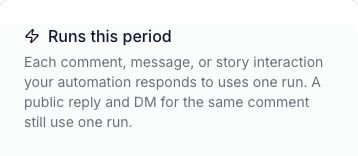
A run is one comment, message, or story interaction that your automation responds to. A public reply and a DM for the same comment still use one run.
What counts as a run?
- One matching comment starts a response with a public reply and DM: one run.
- Ten matching comments each start a response: ten runs.
- A person opens the product link in your DM: that click is not a new reply run.
Runs count responses, not unique people or sales. A run count does not tell you how many people bought or downloaded a guide.
Check your allowance
- Open your workspace settings in WinkSend.
- Under Billing, choose Limits & usage.
- Find Runs this period.
- Check the used amount and the allowance shown for your workspace.
Usage resets at the start of each billing period. Check the billing details for your account rather than assuming it resets on the first day of the month.
Plan allowances can change. Use current pricing for today’s plan details.
Runs and saved automations are different
An automation is the rule you save. Runs happen when that rule responds to people.
One saved rule can use many runs. A plan’s active-automation limit and its run allowance answer different questions:
- Active automations: how many rules can be live?
- Runs: how many responses can start in the billing period?
AI credits are separate too. They are used for AI generation in the app, rather than counting a normal comment reply as an AI generation.
If new replies stop
When the run allowance is used up, new replies stop. Your saved rules stay in place.
Check these before changing the message:
- Look at Runs this period.
- Check whether the rule is Live or Paused.
- Look for a connection warning under Channels → Instagram.
- If allowance is available, follow the missing-DM checks.
A paused rule and an exhausted allowance are different problems. Turning a rule off and on does not add runs.
For plan changes or an allowance you do not understand, contact support with the warning shown in the app.