


In short
- Send the link for the ring in the post, with your own size guide.
- Use saved replies for known details. Let a person confirm custom work and delivery dates.
- Test the comment and DM from another Instagram account before sharing the Reel.
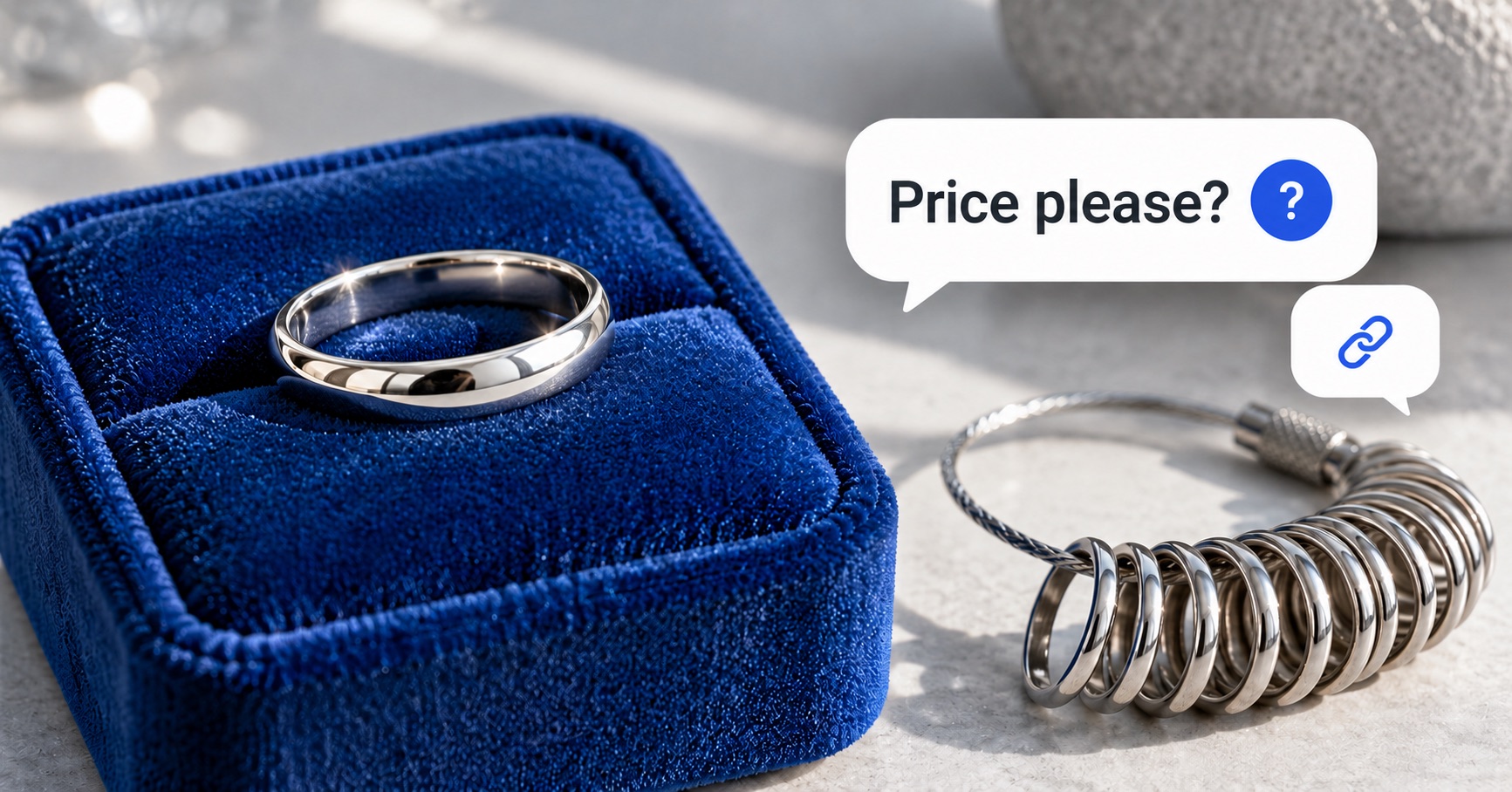
“Price please?” “Do you have my size?” A ring Reel can bring the same questions again and again.
You can answer the simple ones with a saved reply. When someone comments a word such as SIZE, Instagram DM automation sends them your message and link. A DM is a direct message.
Start with the details you already know: the product link, the size guide, and the material. Leave custom quotes and promised delivery dates to someone on your team.
Start with one ring and one question
Pick a ring you sell often. Open its product page on your phone. Can you find these details without asking the shop?
- The exact ring shown in the Reel.
- Its material and finish.
- Available sizes and your size guide.
- The current price, or how to request a quote.
- Whether it is ready to send or made after ordering.
- Your resizing and return terms.
Use the link for that ring, even if you sell through a catalogue. Someone who asked about a ring shouldn’t have to scroll past all your necklaces to find it.
Sample caption: “Need help with the size? Comment SIZE and we’ll send this ring’s size guide.”
Send the guide in the first reply. That’s what the caption promised.
Make ring sizes easy to check
“I’m a size 7.” Useful, but which size system? Your guide needs to say which one your shop uses.
Link to your own chart. Show how to measure, and say whether your shop uses US, UK, European, or another size system.
Before linking your guide, check:
- Are the units clear, such as millimetres?
- Does it explain how to take the measurement?
- Can someone read the chart on a phone?
- Does it tell them what to do if they are between sizes?
- Does it explain whether this ring can be resized?
Buying a gift? They may not know the size at all. Invite them to ask your team for help; a photo alone isn’t enough to choose a ring size.
Four replies you can use
Use these as a starting point. Replace anything in brackets with your own details and links.
A ring size question
Here’s this ring’s size guide: [your size-guide link]. We use [your size system]. Need a hand with the chart? Reply here.
A price or material question
Here’s the ring from the Reel: [ring link]. You’ll find the price, material, finish, and sizes there.
If you need to check the price first, say so. Changing the stone or metal may change the quote.
An engraving or custom-design request
Send us the ring link or a photo, and tell us what you’d like to change. We’ll check it with our team before sending a quote.
Ask for the next detail once they’ve replied. For engraving, copy the name or words back to them and check the spelling before accepting the order.
A gift delivery question
When do you need it, and which city are we sending it to? We’ll check the timing before you order.
“Ready to send” doesn’t mean “at your door by Friday.” Check how long the ring takes to make and how long shipping takes.
Set up the first reply in WinkSend
Use an Instagram Business or Creator account. Start with a post you published and a link your customers can open.
- In WinkSend, open Automations, then New automation and Standard Builder.
- Choose Post & Reel Comments + DM. The Comments Only option sends a public reply without a DM.
- Select the ring post or Reel. Set the comment word to match your caption, such as SIZE.
- Add your short message and the correct size-guide link.
- Turn on the rule when it is ready. Test it from another Instagram account.
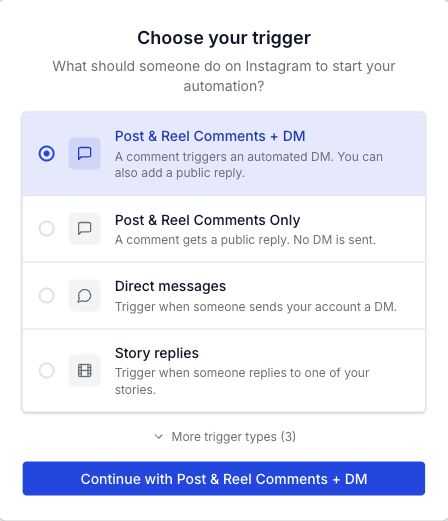
Choose Specific post for the ring in your Reel. Add SIZE under Set your keyword.
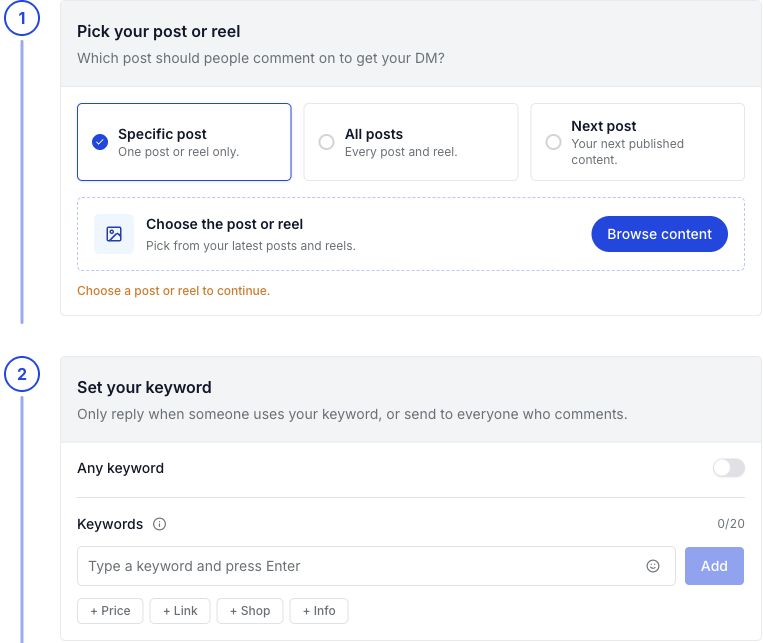
For a text reply, choose Add link. Use a label such as “Size guide” and paste the link to your chart.
The Instagram comment automation guide walks through setup and missing-message checks.
Check WinkSend’s current plans for rule and monthly run limits. A run is an eligible comment or message starting a rule.
For size-guide requests sent straight to your inbox, use DM keyword replies. If your Story asks people to reply SIZE, use Story reply setup.
Let a person handle the custom order
“Can you make this in a different metal?” needs more than a link. Give your team the request so they can check the work and price.
Keep the details together in a short order note:
- The product or reference image.
- The requested size and size system.
- The material, finish, and stone choice.
- Any engraving, copied exactly.
- The date the shopper needs it.
- What your team has agreed and what still needs checking.
Before making the ring, send those details back for the shopper to confirm. A quick “yes” to an idea can leave the size or engraving unclear.
Care questions need the right guide too. Send the care instructions for that item’s material and finish.
Don’t use one “waterproof” or “never tarnishes” message for every piece.
Know when you can send another DM
Someone commenting SIZE hasn’t agreed to weeks of reminder messages. Meta allows one initial private reply within seven days of a comment.
Follow-up messages are allowed after the person responds, within 24 hours of that response.
These are Meta’s private reply rules.
Custom work may take longer. If the shopper wants an update weeks later, agree on another way to contact them, such as email.
Test before your next jewellery Reel
Leave the chosen comment from a separate account, then check:
- The DM names or links to the right ring.
- The size guide opens and is readable on a phone.
- The price and available options are current.
- A custom request clearly needs your team’s check.
- A gift reply does not promise an unconfirmed delivery date.
- A non-following shopper can find the reply, including in Message Requests.
If the same person comments again, don’t assume another DM will arrive. Test that case too. Use the missing DM checklist if the first reply is missing.
The next questions tell you what the reply missed. If shoppers still ask which size system you use, add that detail where they can see it.
Count orders separately from sent DMs. A message going out doesn’t mean someone bought the ring.
Selling outfits too? The clothing-brand guide covers clothing size charts and item links.
The cover is an illustration. The replies above are templates for you to edit.
Create a free WinkSend account to set up your first jewellery reply.