
Instagram DM automation for gyms
Send gym trial and class links by DM.
Ask people to comment TRIAL on your gym’s Reel. WinkSend sends your trial class link in a direct message, or DM.
You can also share class schedules and membership details. Your booking page shows open spots and confirms each booking.
1,000 free runs a month. No card or UPI needed.
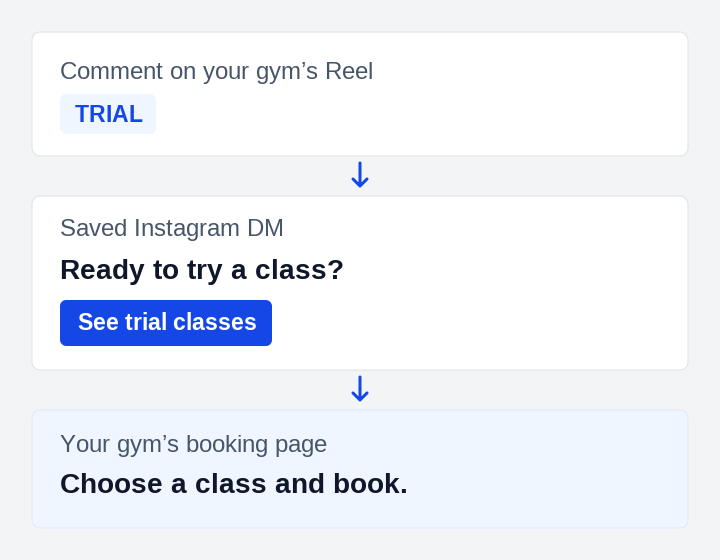
Give people a clear next step
Start with the question people ask most. Someone watching a class Reel may want to try it. Someone asking about joining needs the prices and plan details.
Use these sample captions and messages to plan your first reply.
Trial class from a Reel
Caption idea: “Want to try our beginner class? Comment TRIAL for the booking link.”
Send the first-visit booking page. Include the trial price, who can use the offer, and what to bring.
Class schedule from a Story
Story idea: “Looking for this week’s classes? Reply CLASSES for the timetable.”
Link to the live timetable. Include the branch, class length, and which classes are open to beginners.
Membership details from an inbox message
Profile or post idea: “DM MEMBERSHIP for our plans and prices.”
Share one membership page with prices, any joining fee, and what each plan includes.
Story replies and inbox messages use their own rules. See how to set up Story replies and how inbox keywords work.
Set up your first trial class reply
Have your trial booking link ready. Use an Instagram Business or Creator account connected to WinkSend.
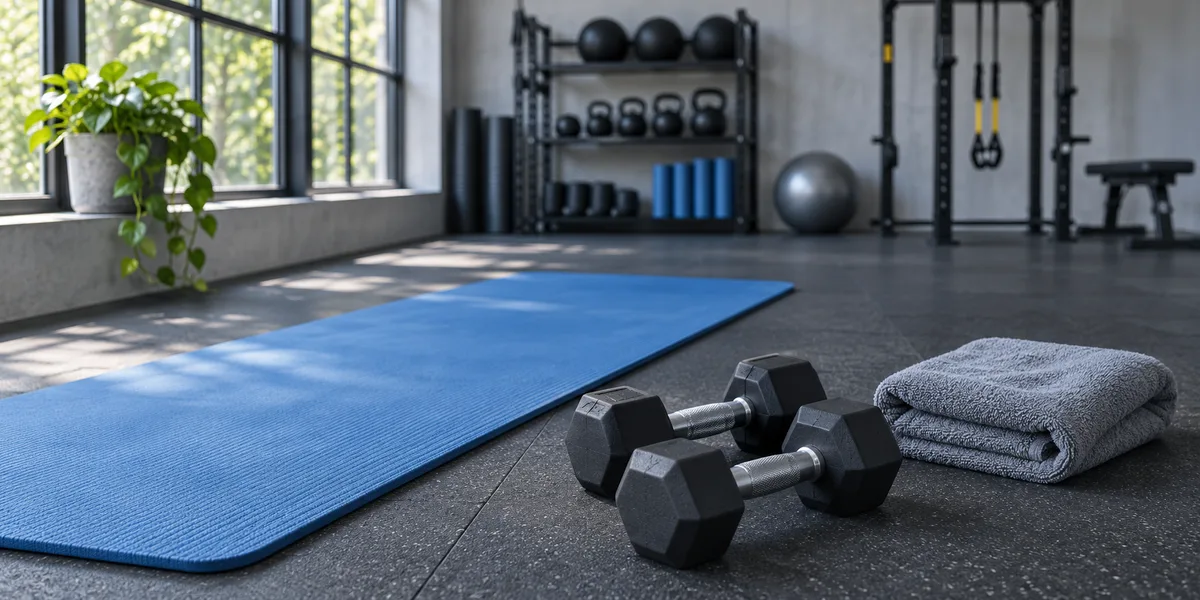
- Choose one Reel. Show the class or space visitors will use. Ask people to comment TRIAL for the booking link.
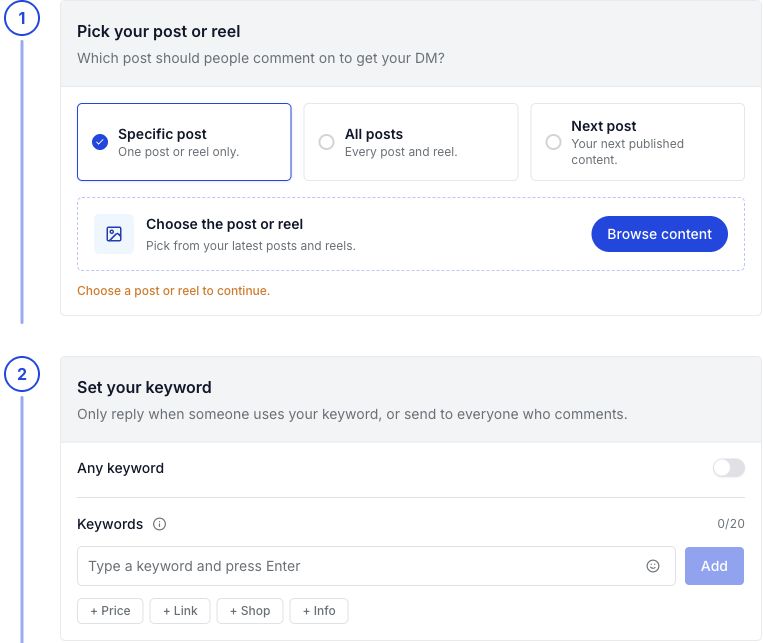
- Pick Specific post. Select that Reel in WinkSend and add TRIAL as the keyword.
- Save your reply. Name the class or branch. Add your booking URL under a button such as “See trial classes.”
- Test on a phone. Comment TRIAL from another Instagram account. Open the DM, tap the button, and check that you can reach the right class.
Check the path from Reel to first visit
- Right location. Show the same gym branch in the Reel, the DM, and the booking page.
- Clear offer. Say who can use the trial, what it costs, and when it ends.
- Open classes. Use your live timetable so visitors can see full sessions and pick another class.
- First-visit details. Tell visitors when to arrive, what to bring, and how to change a booking.
- Someone to ask. Have the front desk answer questions about access, moving a booking, or freezing a membership.
When the offer ends, edit or pause the reply. Check older Reels that still invite people to comment.
Track links sent, trial bookings, and people who show up. Check bookings and attendance in your gym’s system. If people book but miss class, check whether the confirmation makes the time and location easy to find.
Start with the plan this reply needs
A simple booking or service-menu link can start on Free. Add paid features when the campaign needs them. See current plans and limits.
Free
₹0 INR / $0 USD
Free plan
Start with a trial class link or a live timetable in a basic text reply.
1,000 runs/month
3 active reply rules
Creator
₹499 INR / $9.99 USD
Billed monthly
Use follow-ups when the conversation and Meta rules allow them. Send class confirmations through your booking tool.
Unlimited* runs/month
Unlimited* active reply rules
Professional
₹1,299 INR / $19.99 USD
Billed monthly
Collect an email address or phone number in the DM if your team needs it to arrange a gym tour.
Unlimited* runs/month
Unlimited* active reply rules
An automation is a saved reply rule. A run is an eligible comment or message starting it. If you reach your monthly run allowance, new replies stop until it resets or you upgrade. *Unlimited runs are on WinkSend’s side; Meta’s messaging rules and separate AI credit limits still apply.
Questions before you start
Can WinkSend hold a spot in a class?
WinkSend sends the booking link you save. Visitors choose an open spot and get confirmation through your booking system.
Can each gym branch send a different link?
Yes. Create a campaign for a specific post from each branch and save the matching link. Name the branch in the post and the DM so visitors know where to go.
Can different words in the inbox send different replies?
Each Instagram account can have one active incoming-DM rule. Its words all send the same reply. Use one page that answers the common question, or use separate post campaigns for different offers.
Do I need to offer a free trial?
You can send a link to a paid drop-in, a gym tour, or an intro package. State the price and who can use the offer before visitors book.
Keep setting up your campaign
Start with one trial class.
Choose one post, one word, and one useful link. Test the reply before you promote it.